


Logitech Swytch Price in Kenya
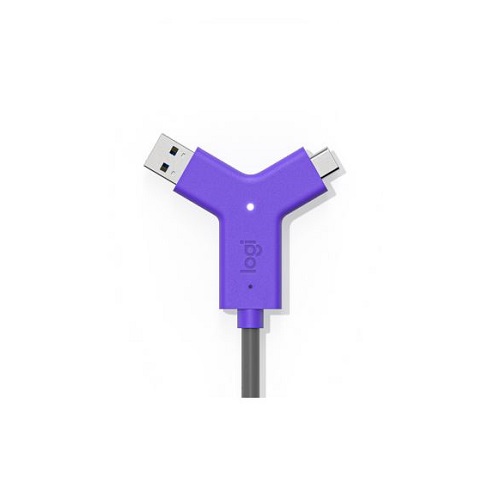
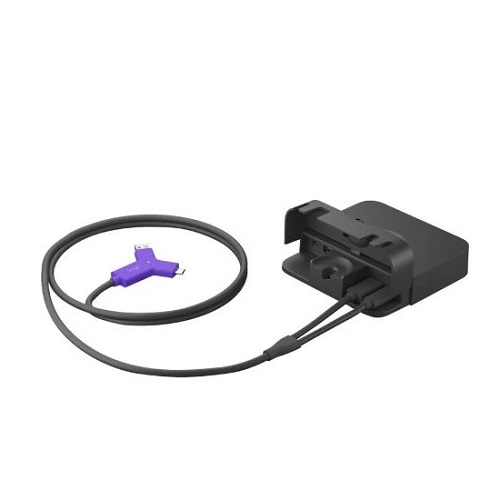
Logitech Swytch price in Kenya is Original price was: KSh110,000.KSh105,000Current price is: KSh105,000.. It is designed to bring BYOM (Bring Your Own Meeting) to fixed room displays, projectors, and conferencing systems. Instead of relying on integrated room conferencing hardware, Swytch lets a user’s laptop become the meeting controller by transmitting USB video and audio to a display via HDMI. This simplifies meeting room setup and ensures consistent meeting software compatibility.
The device connects to a laptop via USB-C or USB-A (using the included adapters) and outputs HDMI to the room display. Logitech Swytch also passes USB data from the connected laptop to room cameras, microphones, and speaker systems, ensuring AV peripherals work with the user’s conferencing application.
Compatible with major conferencing platforms such as Microsoft Teams, Zoom, Google Meet, and Cisco Webex, Swytch requires no additional software installs or drivers. It supports plug-and-play operation on Windows and macOS systems, simplifying the transition between different meeting platforms and environments.
Product Key Features
- BYOM Support – Enables Bring Your Own Meeting with laptop control of room AV.
- USB-to-HDMI Conversion – Translates USB video and audio to HDMI output.
- Adapter Kit Included – Includes USB-C to USB-A and USB-C to USB-C adapters.
- Room Peripheral Integration – Passes USB data to cameras, mics, and speakers.
- No Drivers Required – Plug-and-play with Windows and macOS.
- Wide Platform Compatibility – Works with Teams, Zoom, Webex, Google Meet, and others.
Full Product Specifications
| General | |
|---|---|
| Product Type | USB-to-HDMI Conferencing Dongle |
| Primary Function | Bring Your Own Meeting (BYOM) |
| Connectivity | |
| USB Connection | USB-C with adapters for USB-A |
| Video Output | HDMI (to display) |
| Peripheral Data | USB passthrough to AV devices |
| Compatibility | |
| Operating Systems | Windows, macOS |
| Meeting Platforms | Microsoft Teams, Zoom, Google Meet, Webex, others |
| Installation | |
| Software | No drivers or software required |
| Operation Mode | Plug-and-play |
Frequently Asked Questions
Does Logitech Swytch require drivers?
No. It operates as a plug-and-play device without requiring additional drivers.
Can it be used with both USB-A and USB-C laptops?
Yes. Adapters for USB-C to USB-A and USB-C to USB-C are included for wide laptop compatibility.
Does Swytch support all meeting platforms?
It is compatible with major conferencing platforms including Microsoft Teams, Zoom, Google Meet, and Cisco Webex.
Does it support room peripherals like cameras and microphones?
Yes. Swytch passes USB data from the laptop to connected room cameras, microphones, and speakers.
Is it suitable for BYOM workflows?
Yes. It is designed specifically to enable Bring Your Own Meeting with room displays and AV systems.


Reviews
There are no reviews yet